
At the end an order paid on your platform creates a line and each payment renews it, without the dashboard. You need a partner (reseller) account with credits and packages it may sell, and a platform with a connector — WHMCS, Blesta, WISECP, HostBill, ClientExec, FOSSBilling, Paymenter, WordPress with WooCommerce or Easy Digital Downloads, Odoo, PrestaShop, OpenCart, Magento, Dolibarr, ERPNext, or Shopify, Upmind and Invoice Ninja through the webhook bridge.
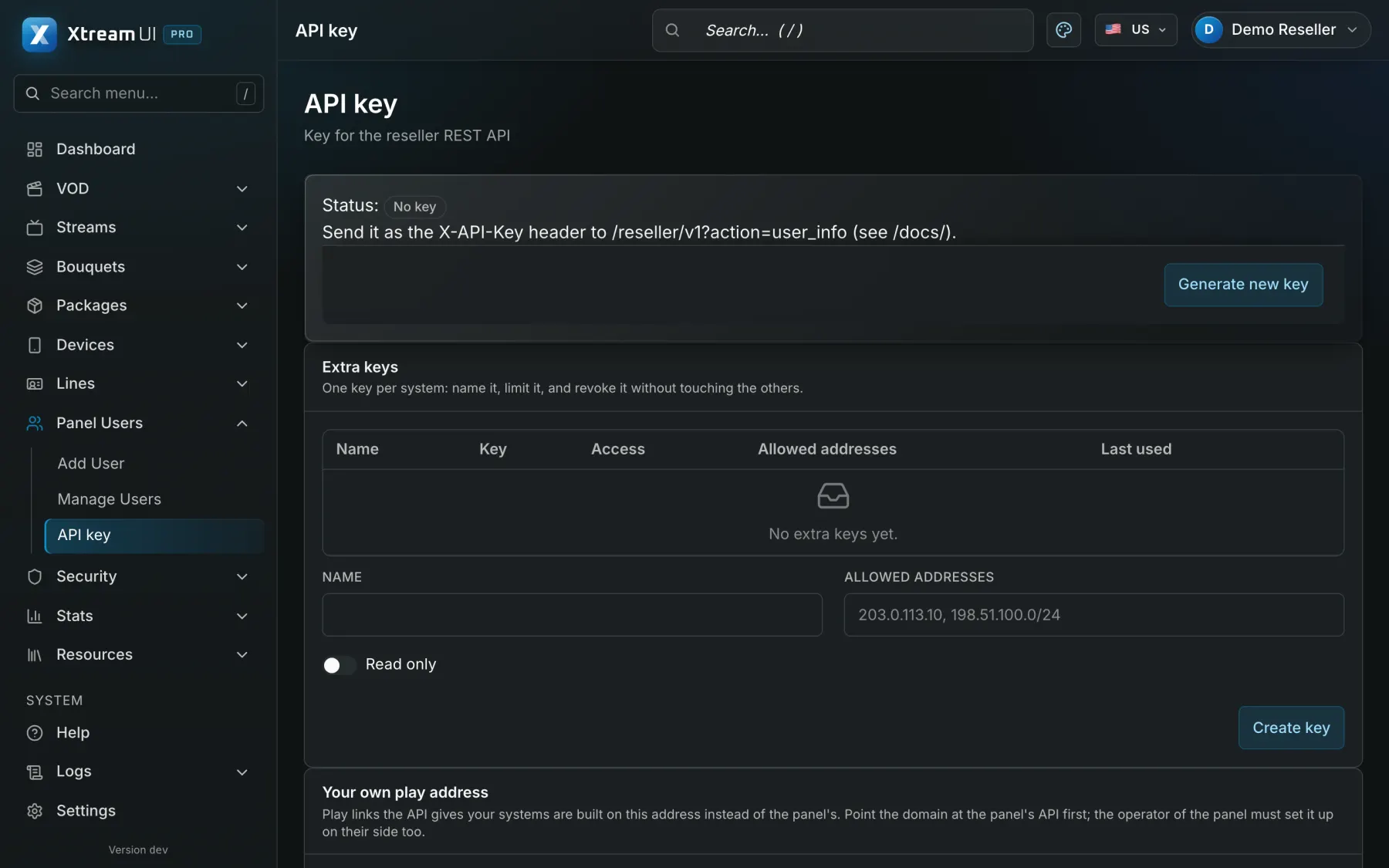
Create an API key
Sign in with the partner account and open API Key. A key is shown once, when it is created — copy it right away. Create an additional key per system, with a name and the addresses allowed to use it, so one can be revoked without touching the others; the connector needs a key that may write, so leave the read-only flag off.
Pick the connector
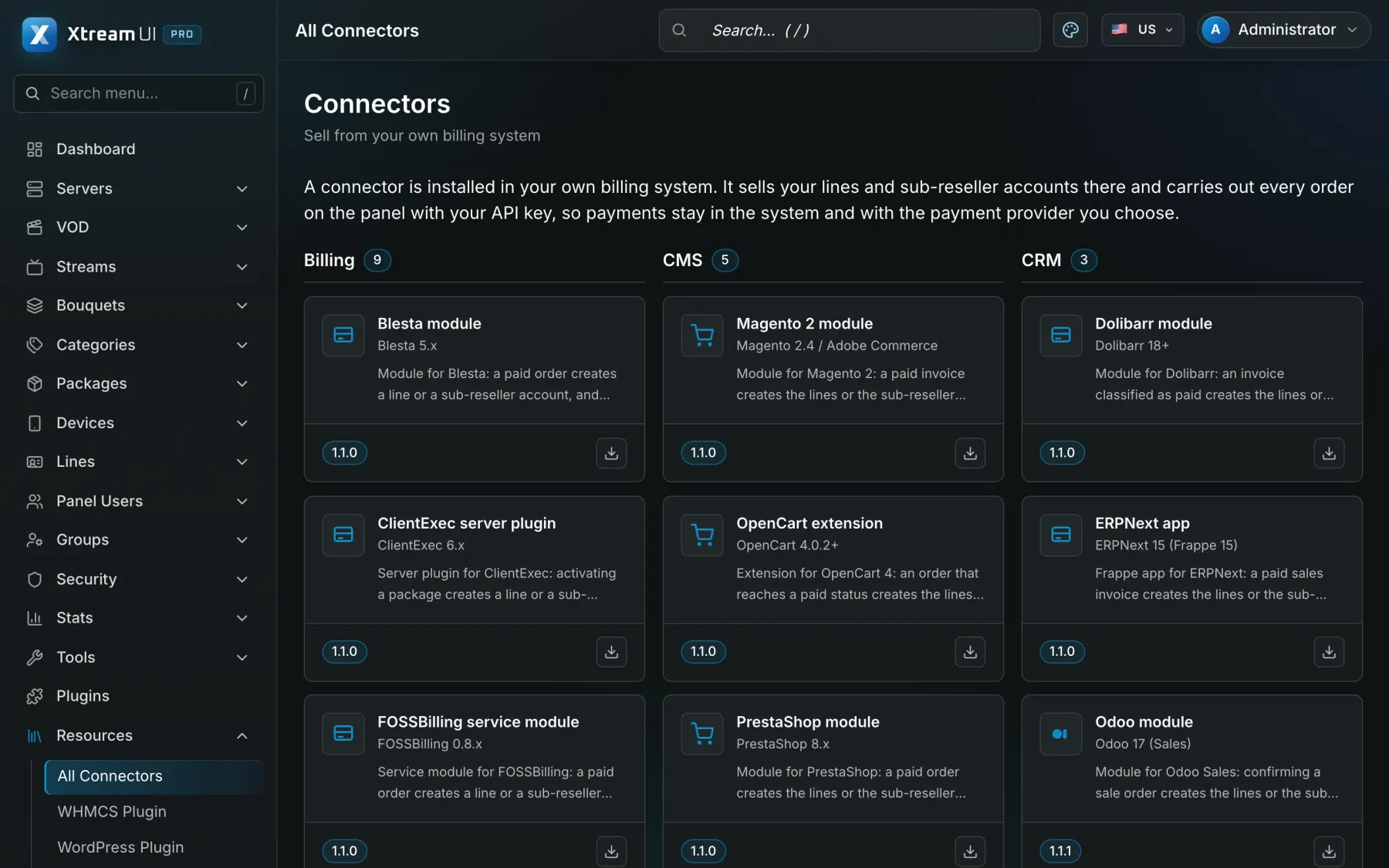
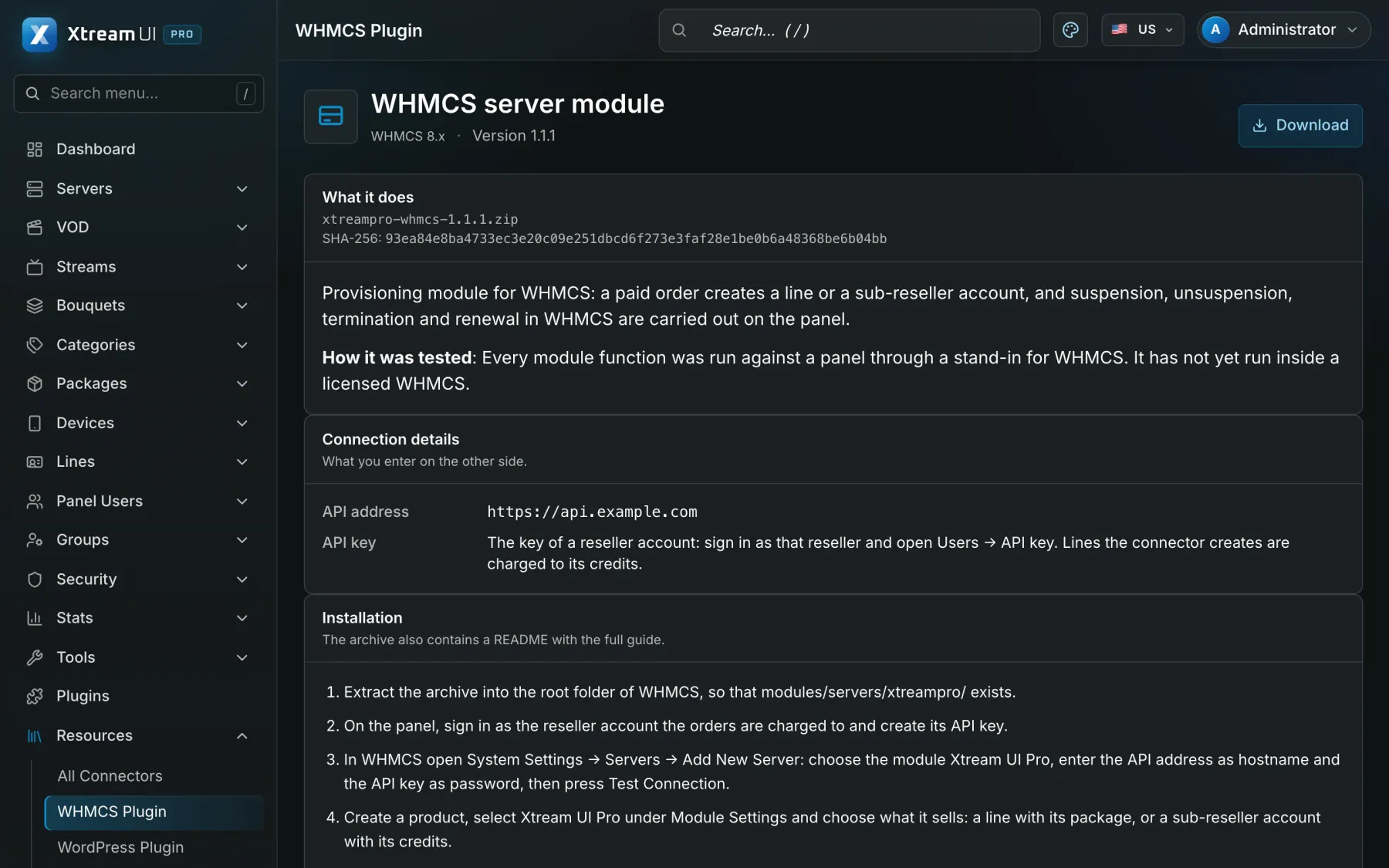
Open Resources → All Connectors and choose your platform. Its page lists the connection details, the installation steps, a Download button, the SHA-256 of the file to verify it, and how far that connector has been tested — some ran inside the real platform, others only had their core exercised. The source is open; the same files are published on the connectors site.
Install it on your platform
Verify the checksum and install the file where the connector's page says: the module folder of WHMCS, Blesta or FOSSBilling, the plugin upload of WordPress, the addons folder of Odoo, the extension installer of OpenCart, and so on. The webhook bridge for Shopify, Upmind and Invoice Ninja is a small PHP application you host yourself. A connector only calls the Reseller API with your key: it can do what your account can do, nothing more.
Configure it
In the connector's settings enter the address of the API server (its /reseller/v1 path) and the key, then map each product of your platform to a package your group may sell. Prices and payment stay on your platform: the panel takes no money and has no gateway.
Place a test order
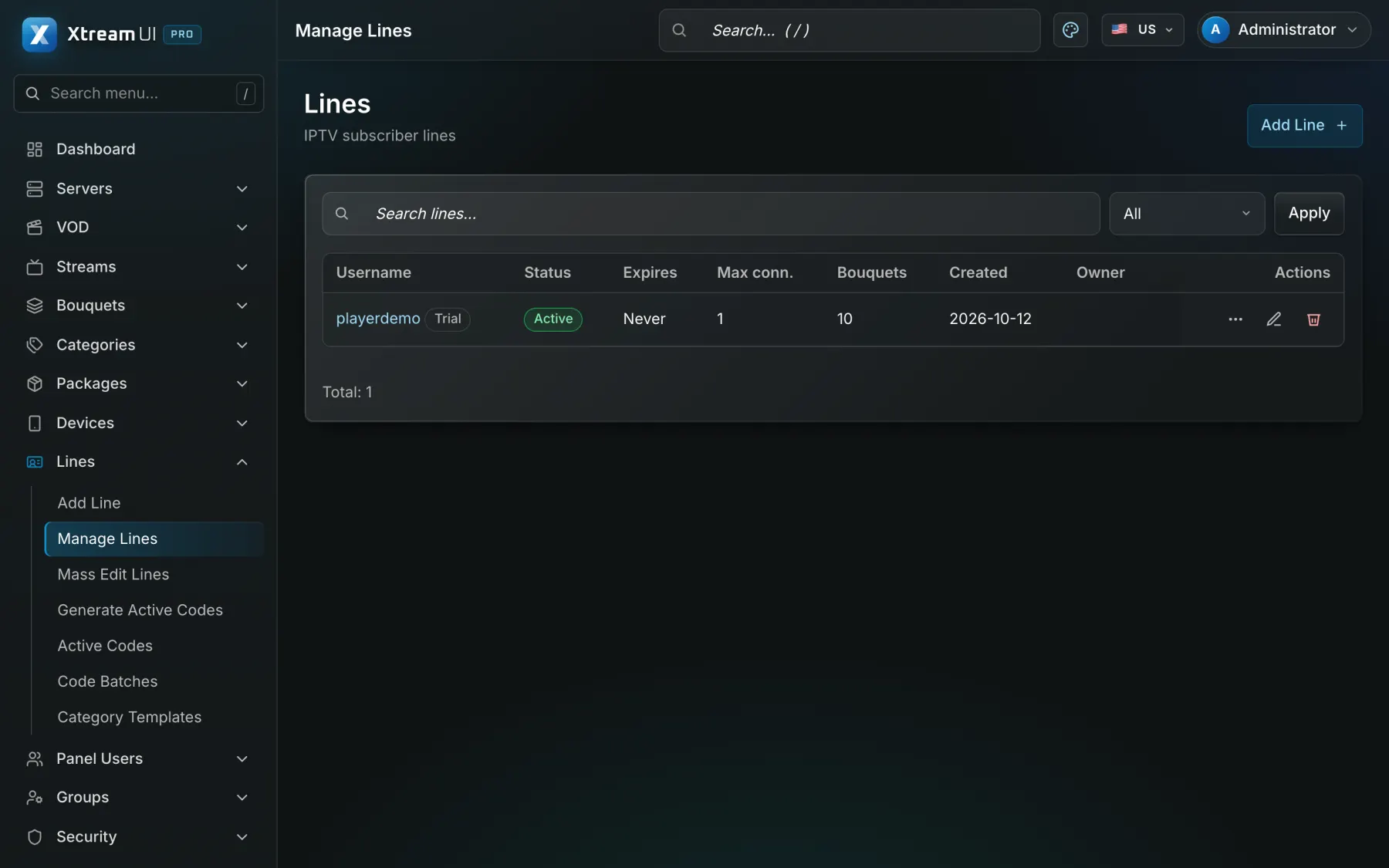
Order the product in a test environment of your platform. The connector calls create_line with the package and a request id; the line appears in Lines with the package's duration as expiry, and your platform receives its credentials. A renewal calls renew_line with its own request id, so a retry after a network error is never charged twice. The API Key page lists the recent calls with action, result, error code, address and connector name.
Add webhooks (optional)
On the API Key page add a webhook endpoint (an https address of your platform) for the events you want: line.created, line.renewed, line.enabled, line.disabled, line.deleted, line.expiring, line.expired, credits.low. Every notification is signed with the secret shown once at creation (X-Xtream-Signature) and never carries a password; the Test button sends one right away.