
Free
Try the panel on a small catalogue, at no cost.
$0 / month
$0 / year
Free forever, no card needed
Start free- Streams
- 50
- Lines
- 100
- Server nodes
- 1
- Support
- Community
OTT infrastructure · video management platform
A self-hosted video management platform for broadcasters, OTT operators and media businesses. Manage live streaming, video on demand, subscribers and distributed delivery from one unified system — on servers you control.
Works with the apps and boxes your viewers already use
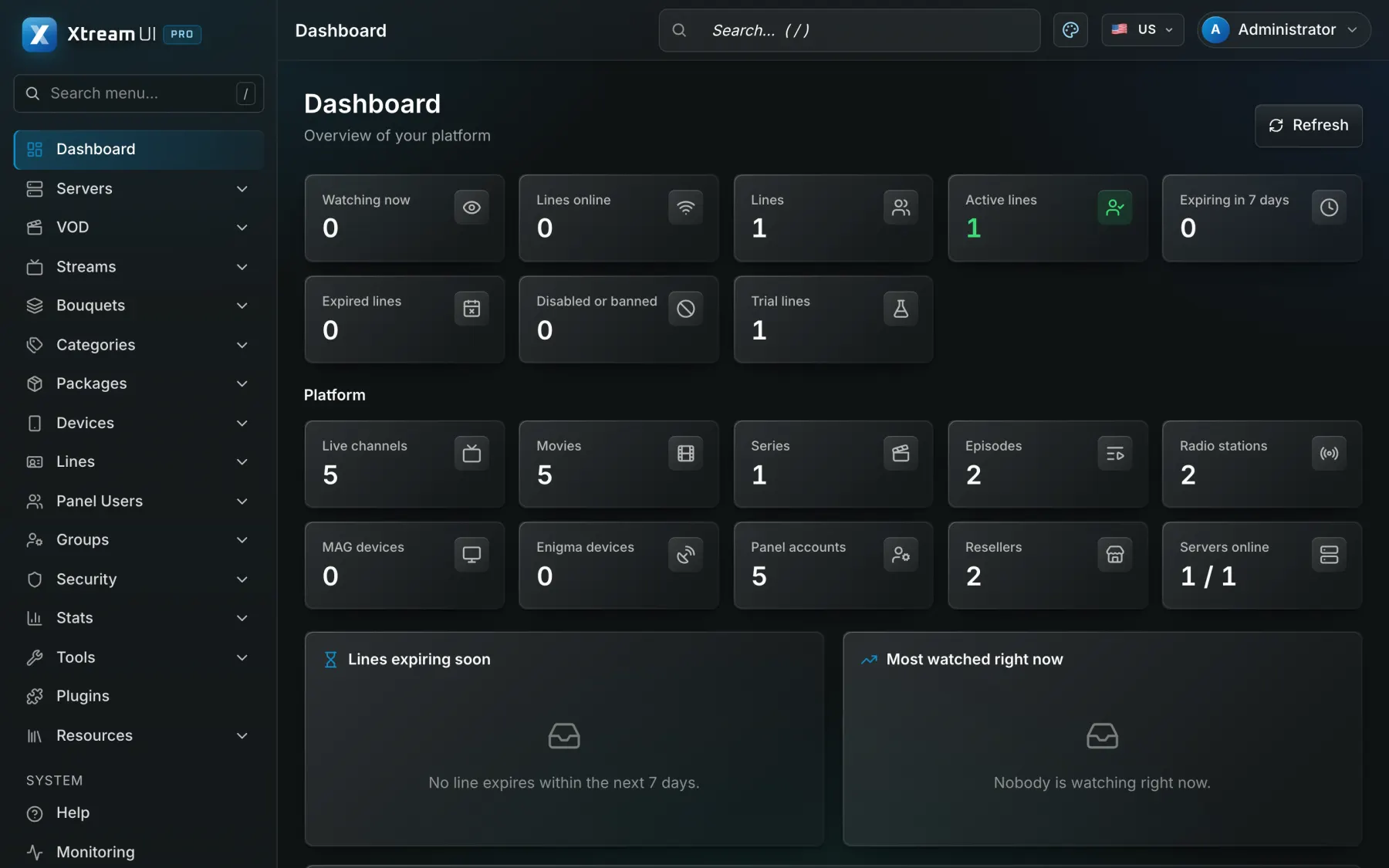
Platform capabilities
Everything a video service needs, from the sources to the viewer's screen, in one panel that you run yourself. Each capability below is in the product today.
Live channels from your own sources, with EPG, catch-up and timeshift where the source allows, delivered as HLS or MPEG-TS to the apps and boxes your viewers use.
Origin hub with one upstream per channel · RTMP in and out · ffmpeg transcoding
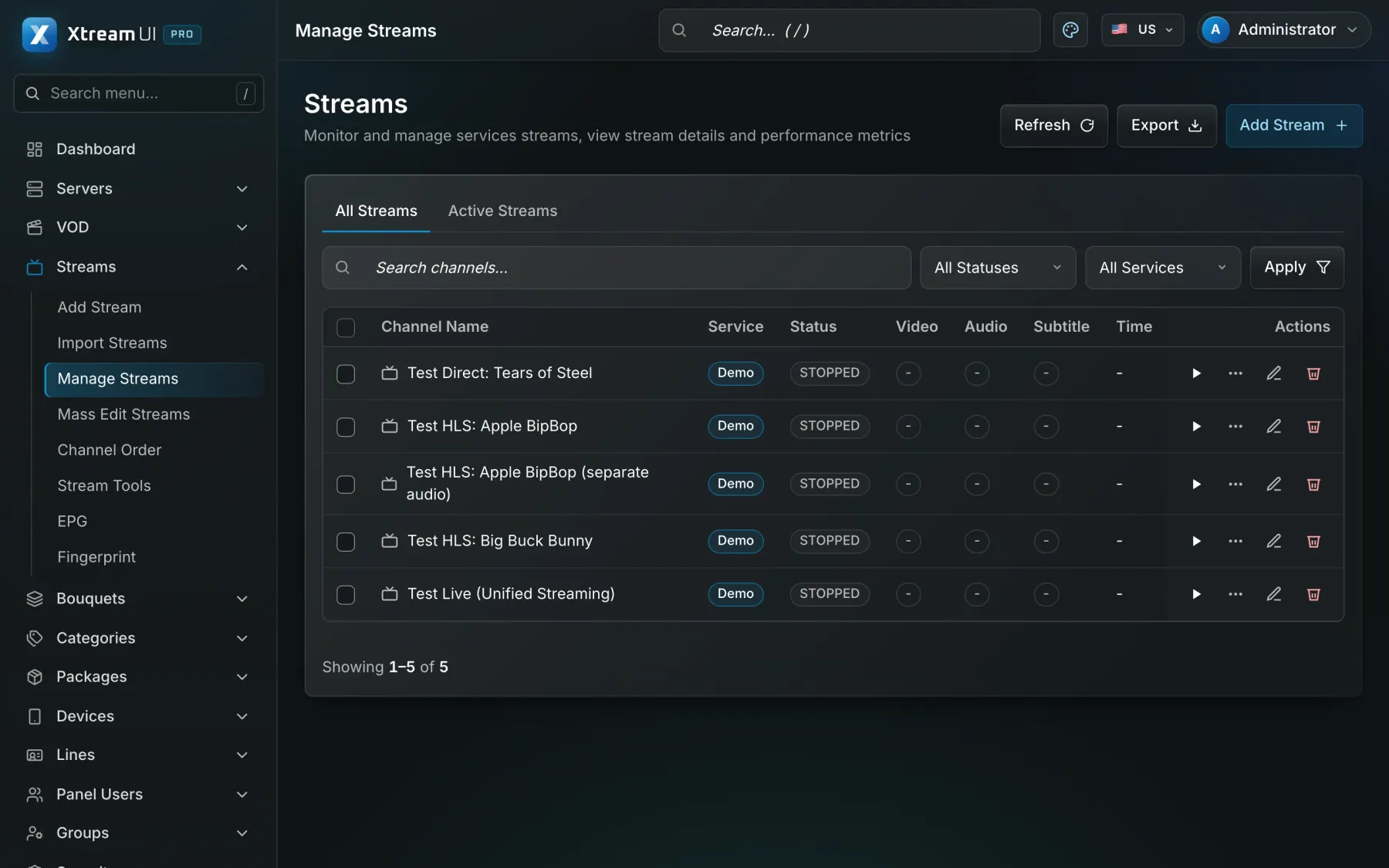
Movies, series with seasons and episodes, and radio, organised in categories and bouquets, with TMDB metadata and an ingest job that downloads and encodes your sources.
Signed, time-limited playback links · per-node VOD cache
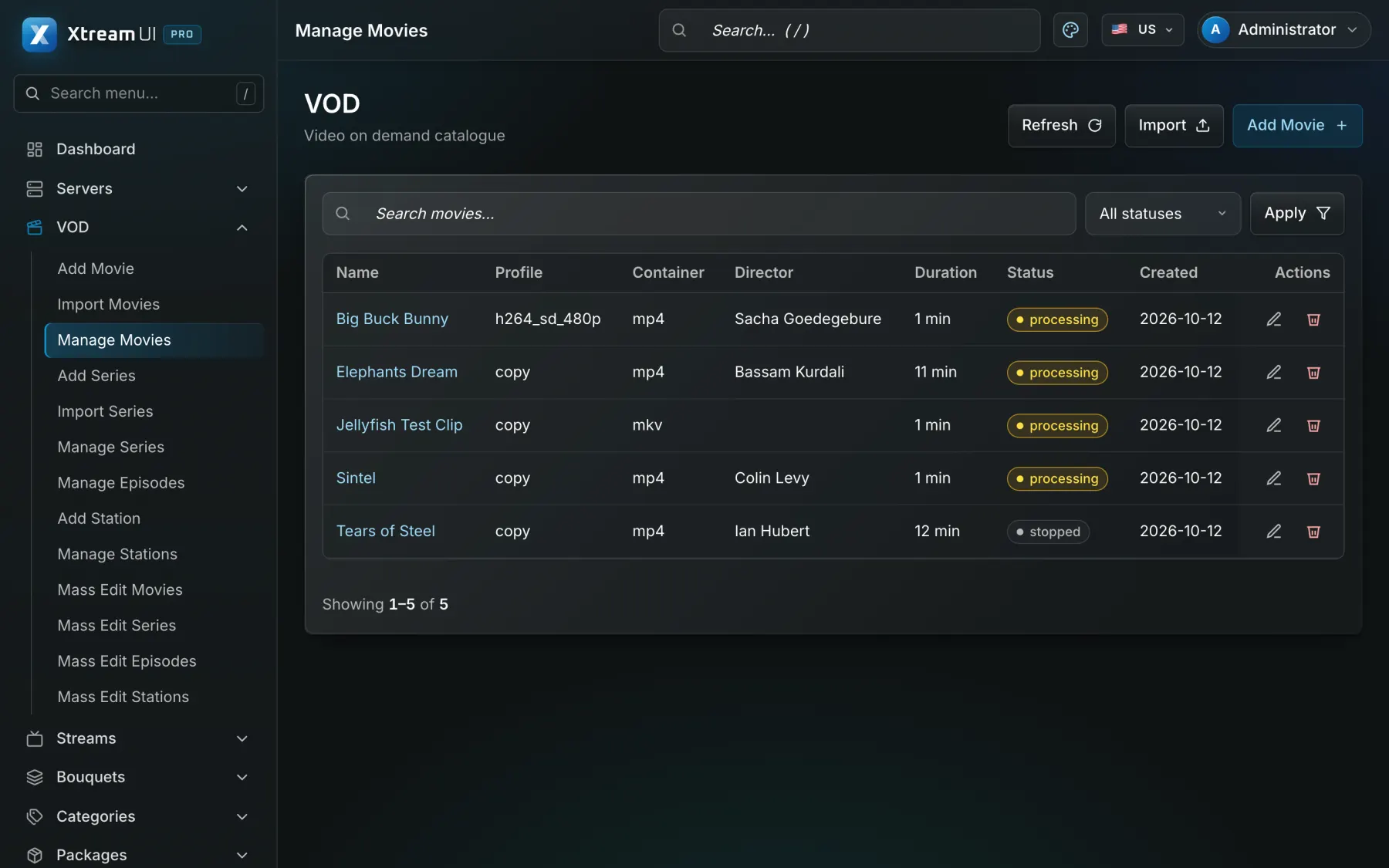
Enrol edge servers from the panel; viewers are routed to a node by load and by country, and the origin serves everybody while no node exists.
Installed over SSH from the panel · GeoIP routing · heartbeats and traffic stats
Connection and traffic views, audit logs, Prometheus metrics, alerts by mail, Telegram or webhook, maintenance mode and a built-in update check.
/metrics endpoints · job queue with leases · encrypted database backups
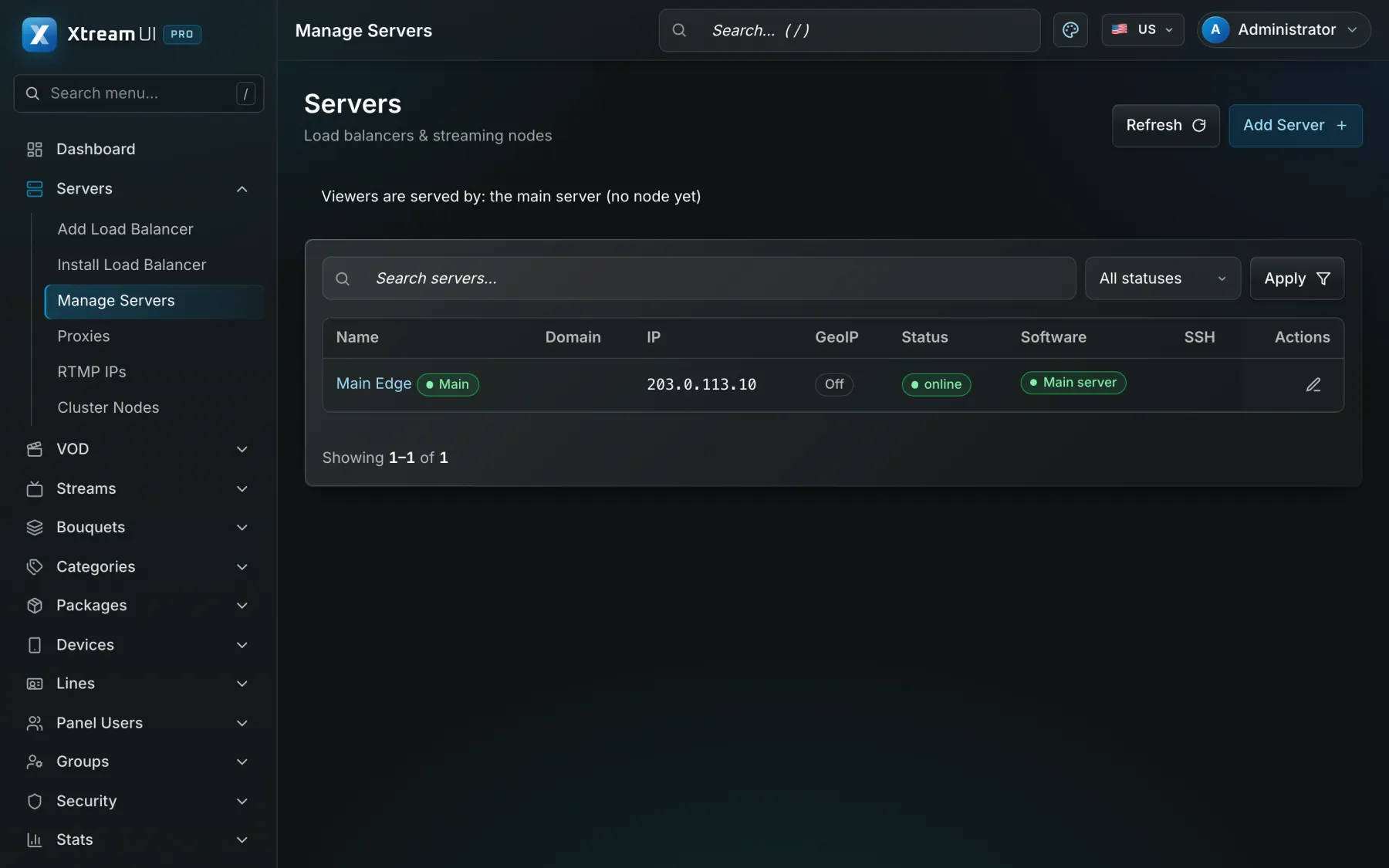
A line is one viewer's access: package, bouquets, expiry, connection limit and output formats, with activation codes, trials and renewals following the same rules everywhere.
Xtream Codes API, M3U/XMLTV, MAG and Enigma2 portals, web player
Delegated accounts with credits, permissions and their own dashboard, up to five levels deep, for the distributors, operators and resellers you work with.
Groups and permissions · credit ledger · sub-partners
Create, renew and suspend access from your own systems through the Reseller API, receive signed webhooks, and connect billing or commerce platforms with a ready connector.
Reseller API with idempotent request ids · Admin API keys · 17 connectors
Two-factor sign-in, sealed secrets at rest, signed playback links bound to the viewer, IP and country rules, connection limits and brute-force protection.
TOTP · AES-sealed keys · HMAC-signed URLs · GeoIP and ISP rules
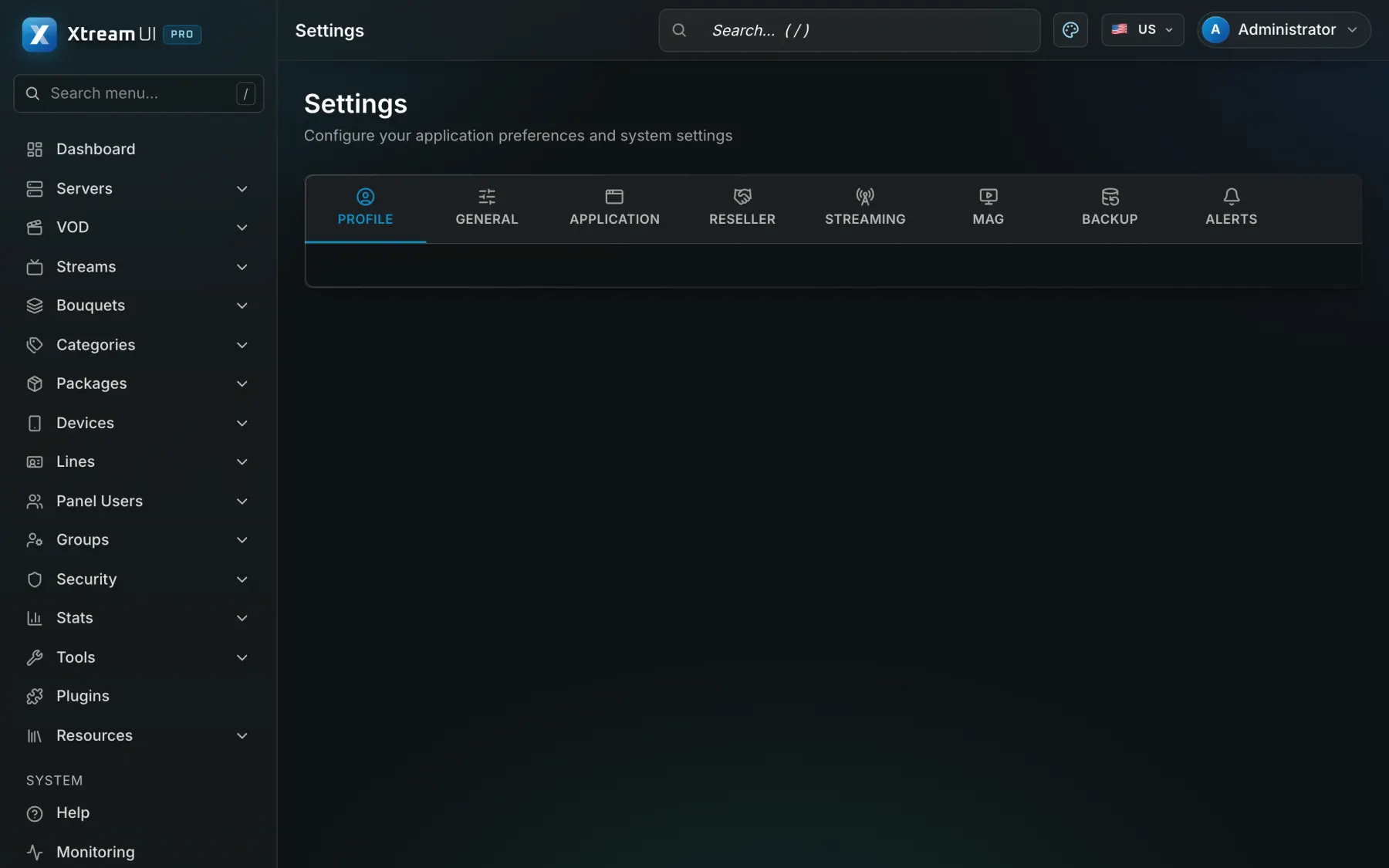
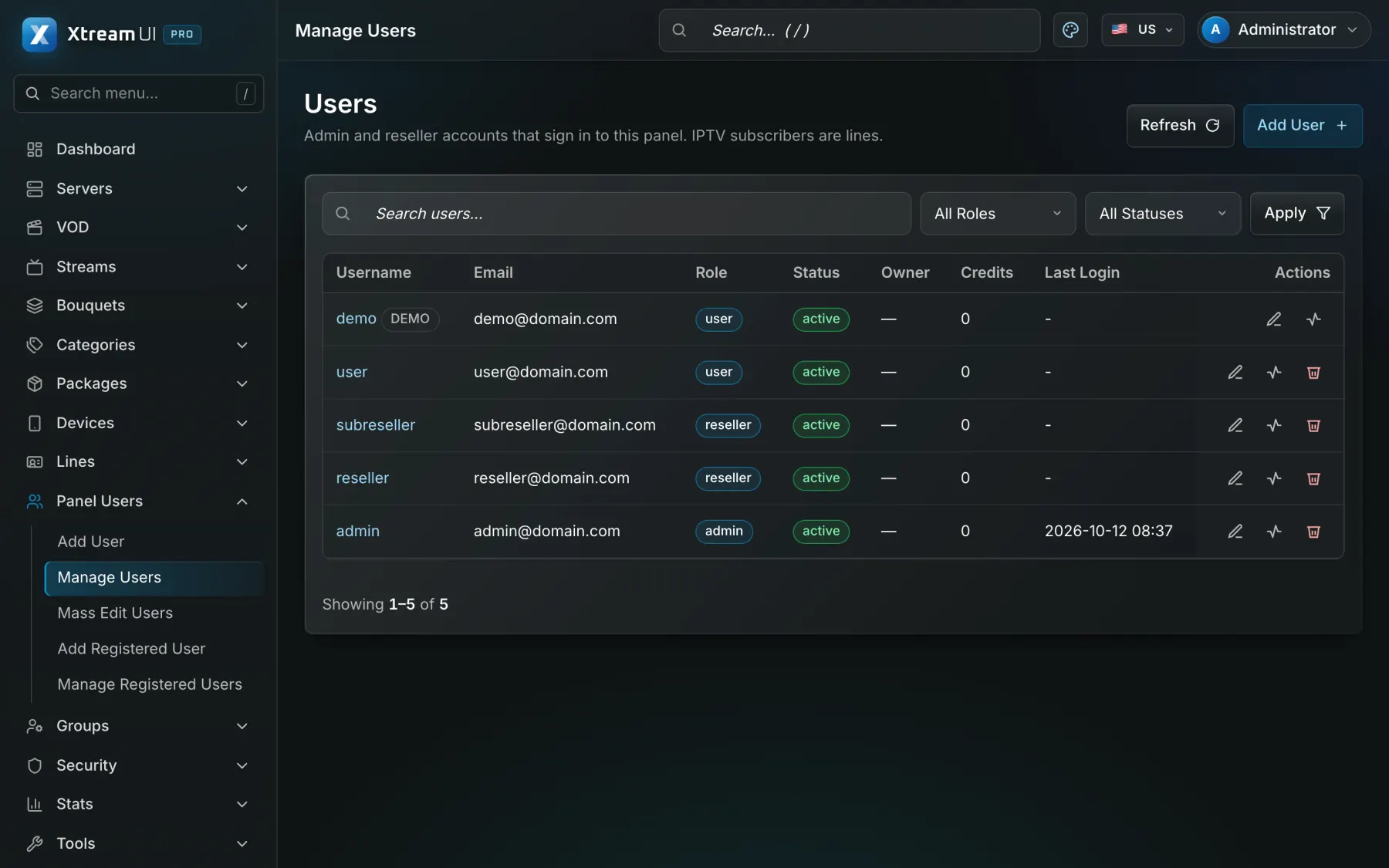
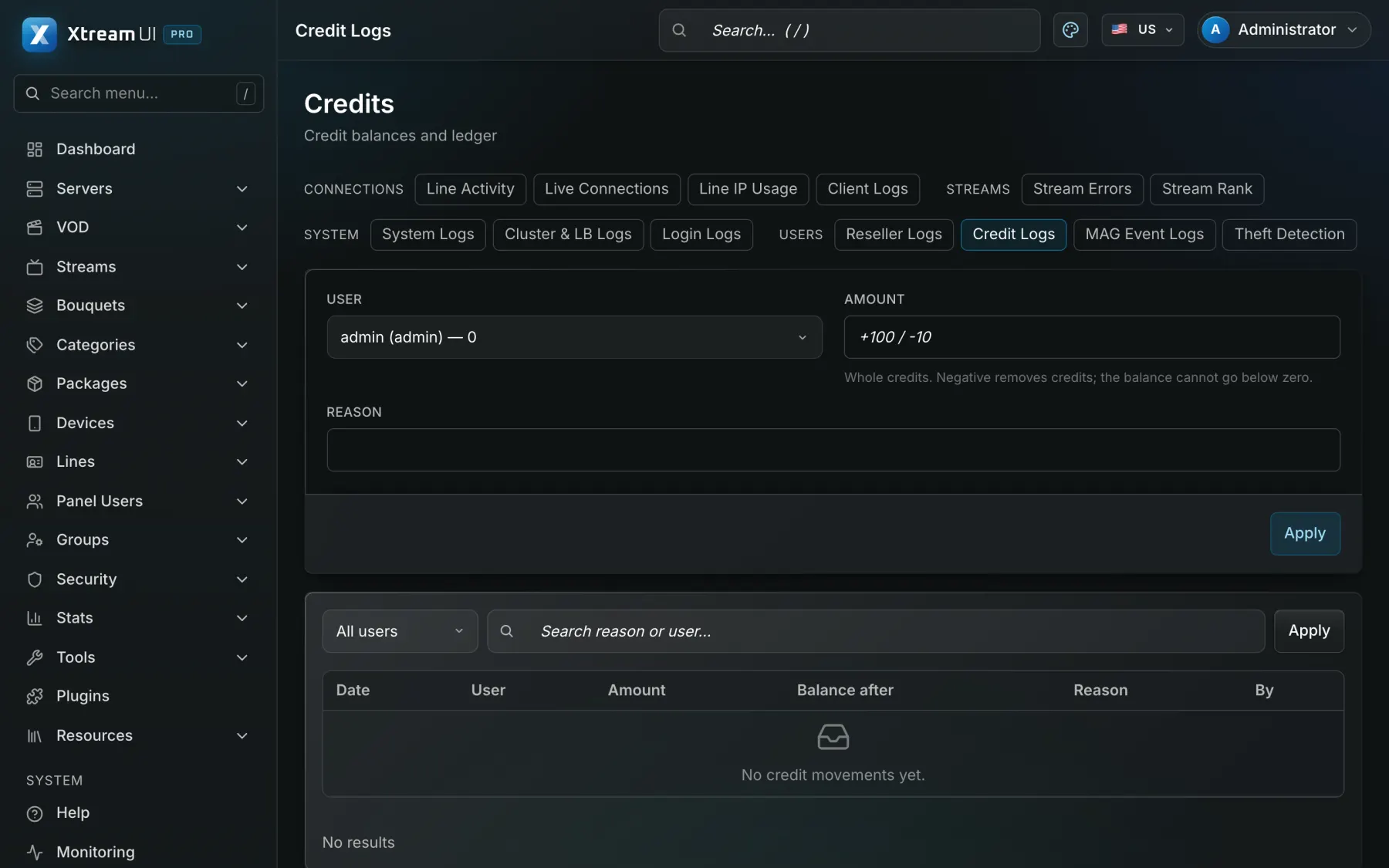
Every screen below is the dashboard of a fresh installation with the sample catalogue.
Solutions
The same infrastructure serves a campus, a hotel, a company, a broadcaster, a community or a studio — configured for each, not rebuilt for each.
 Education & Training Course video, live classes and campus TV for schools, training providers and universities.
  Hotels & Resorts In-room television with the property's channels, information and guest services.
  Corporate Training Internal video, training libraries and live sessions for employees, by department.
  Broadcasting & Television OTT distribution of a broadcaster's own channels and archive, over its own infrastructure.
  Community Organisations Live events, assemblies and recordings for members, at the venue and at home.
  Fitness & Wellness Live classes and a library of recorded sessions for members of a studio or a chain.
 Also on the platform
Infrastructure architecture
One management server holds the catalogue, the subscribers and the partners. Streaming nodes carry the traffic. Your own systems talk to the API. Adding capacity means enrolling another node, not rebuilding the service.
Pick a part of the diagram to see what it does.
How it works
The same path for every channel, film and episode.
The admin adds channels, films, series and radio and groups them into bouquets.
A package sets the bouquets, the duration, the number of connections and the price in credits.
A reseller spends credits on a package; the system creates the line and its play links.
The viewer enters the line in an app; the system checks it and plays from a suitable server.
Delivery
Start on one server. Add nodes when the audience grows — the panel installs them, routes viewers to them and keeps your sources out of sight.
Enrol more servers from the panel; a node is installed over SSH, and viewers are routed to a node by load and by country.
The origin pulls each channel once and fans it out to every viewer and node, so your provider sees one connection, not one per viewer.
Each package decides the output formats. Channels that need it are transcoded with FFmpeg; delayed channels and RTMP push are built in.
Films and episodes are downloaded or encoded into your media library, and nodes cache what their viewers play.
Every playback link is signed, expires, and is bound to the viewer's address, so a copied link is worthless elsewhere.
An Ubuntu installer and Docker Compose, scheduled database backups, and health and metrics endpoints for your monitoring.
Apps and devices
A line works wherever the Xtream Codes API, an M3U playlist, a MAG portal or Enigma2 is understood — and in the browser.
IPTV Smarters, TiviMate, XCIPTV, GSE and every other app that speaks the Xtream Codes API: server, username, password.
M3U and M3U Plus playlists with logos, groups and an XMLTV guide, plus ready-made formats for Enigma2 receivers.
MAG boxes through the portal and Enigma2 receivers through a playlist or plugin, signed in by MAC address.
Nothing to install: live TV, films, series and the guide in the browser, with a line or an activation code.
Partner & distribution management
Manage distribution partners, delegated accounts, subscriptions and access permissions from a centralised platform. Each partner gets its own dashboard, credits and limits; what it may see, sell and change is set by its group.
The platform never touches your customers' money. Your billing or commerce system takes the payment; a connector or the Reseller API creates and renews the access.
Create, renew, change and suspend lines and sub-resellers from your own system, with separate API keys per system and a request id that prevents double charges.
Signed notifications when a line is created, renewed, about to expire or expired, and when credits run low.
Open-source connectors for the common billing and shop platforms, published with their install steps at plugins.xtream-ui.pro — read the code before you install it.
The panel never contacts your viewers, and a deleted line is gone for good — no recycle bin, no hidden copy.
Connectors
New release · 90-day trial
The panel has been rebuilt from the ground up: a faster core, a cluster of edge nodes, a real media library, a hardened sign-in and a reseller business that plugs into your billing. Everything below is in the build you install today.
A new, lightweight core with one service per role: panel, subscriber API, worker and media server. It installs on Ubuntu in minutes with one installer, upgrades with one script, and every build shows its version.
A one-shot import copies categories, bouquets, groups, packages, panel users and lines from the panel you run today, through its API. It only reads the old panel, so you can try the new one next to it.
Enrol a server and the panel installs it as a node over SSH. Viewers are routed by load and by country, nodes cache what their viewers play, and the main server carries everyone until the first node is added.
The origin pulls each live channel once and fans it out to every viewer and node. Channels that need it are transcoded, delayed channels and RTMP push are built in, and sources are probed on a schedule.
Films and episodes are downloaded or encoded into your library with TMDB metadata, provider catalogues are synchronised on a schedule, and unused media is cleaned up automatically.
Resellers hold credits, set their own prices, sell trials from a quota and manage the sub-resellers below them. Groups decide what each one may see, sell and change, and every sale lands in a ledger.
Developer experience
The same operations the panel offers are available to your own systems: an HTTP API with per-system keys, signed webhooks, and documented deployment.
Create, renew, change and suspend access from your billing, LMS or property management system; every write carries a request id, so a retry never charges twice.
Signed notifications when access is created, renewed, about to expire, expired or disabled, and when a partner's credits run low.
Named keys with an optional read-only flag, an IP allow-list and an expiry, each acting as the administrator who owns it, with a call log.
An Ubuntu installer, systemd units, environment variables for every service, a Docker lab for development, and an OpenAPI description of the subscriber API.
curl "$API/reseller/v1?action=get_lines" \
-H "X-API-Key: $RESELLER_KEY"curl -X POST "$API/reseller/v1" \
-H "X-API-Key: $RESELLER_KEY" \
-d "action=renew_line" -d "id=1042" \
-d "request_id=$(uuidgen)"Webhook events
Security & ownership
Nothing of your service lives with us: the panel, the database, the media and the keys are on your servers. These are the protections the code has today.
Every binary runs on your own Linux servers; the only outbound calls are the ones you turn on, such as the update check or a TMDB lookup.
Postgres on your host, scheduled encrypted dumps, an optional off-site copy to S3-compatible storage, and a restore check on every dump.
Roles and permission groups for the panel, two-factor sign-in, sealed secrets at rest, and an audit log of who changed what.
Nodes fall back to the origin, the origin keeps one upstream per channel, jobs run with leases and deadlines, and maintenance mode tells viewers what is going on.
Prometheus metrics for the API, the panel and the worker, health endpoints, connection and traffic views, and alerts by mail, Telegram or webhook.
Signed, time-limited playback links bound to the viewer's address, connection limits, GeoIP and ISP rules, and automatic blocking of brute-force attempts.
Start free, scale when you are ready. Plans differ by capacity and the support you get.
Try the panel on a small catalogue, at no cost.
Free forever, no card needed
Start freeRecommended
For a growing service with its own resellers.
or $529 / year −10%
≈ $44 / month · billed yearly
Choose ProfessionalNo limit on streams or lines, priority support.
or $1,069 / year −10%
≈ $89 / month · billed yearly
A dedicated team, an SLA and integration with your systems.
Priced for your deployment
Contact sales| Feature | Free | Professional | Business | Enterprise |
|---|---|---|---|---|
| Monthly | $0 | $49/mo | $99/mo | Custom |
| Annual | $0 | $529/year | $1,069/year | Custom |
| Annual saving | Not included | 10% | 10% | Negotiated |
| Streams | 50 | 500 | Unlimited | Unlimited |
| Lines | 100 | 2,000 | Unlimited | Unlimited |
| Server nodes | 1 | 5 | 20 | Custom |
| Support | Community | Standard | Priority | Dedicated |
| SLA | Not included | Not included | Not included | Included |
| Custom integration | Not included | Not included | Not included | Included |
| Migration assistance | Not included | Not included | Optional | Included |
The limits above count objects of the panel. This is what each one means for your service, and what happens when you grow.
All payments processed over a hardened TLS pipeline.
Seamless licence renewal with reminders before expiry.
Round-the-clock technical support for paid plans.
Download
The installation packages and the connectors each have a public site of their own, with checksums for every file and the full instructions.
download.xtream-ui.pro
One package holds every service, the installer and the upgrade, uninstall and reset scripts. A single command sets up PostgreSQL, Redis, ffmpeg and the system services; nginx in front of your domains is one option away.
plugins.xtream-ui.pro
17 open-source connectors (MIT licence) let a reseller sell lines and sub-reseller accounts from WHMCS, WooCommerce, Odoo and other systems. A paid order creates the line; renewal, suspension and cancellation follow automatically.
Early versions, not yet proven in real use: try a connector on a test copy of your system before taking real orders.
Straight answers
The questions people ask about the product before they install it, each answered in plain words. Every statement below describes what the software does today; the help centre goes into the details.
Xtream UI Pro is a self-hosted OTT infrastructure and video management platform: one panel, running on your own Linux servers, that manages live channels, video on demand, subscribers, partners and distributed streaming nodes. It is made of a few Go services — the admin dashboard, the subscriber API, the background worker and the media origin — with PostgreSQL as the database and ffmpeg for probing and encoding. Viewers watch with the apps and boxes that already speak the Xtream Codes API, M3U playlists, the MAG portal or Enigma2, or in the built-in web player.
Xtream UI Pro installs on Ubuntu 22.04 or 24.04 with one command. The installer sets up:
Streaming nodes are added later from the panel: the panel installs them over SSH from the same package, with nothing to prepare on the node.
A viewer can watch with any app that speaks the Xtream Codes API — IPTV Smarters, TiviMate, XCIPTV, GSE and the like — on phones, tablets, Android TV and smart TVs; with an M3U or M3U Plus playlist and an XMLTV guide in any player that reads them; on a MAG box through the portal; on an Enigma2 receiver through a playlist or plugin; and in the browser with the built-in web player. Supported formats: Xtream Codes API, M3U / XMLTV, MAG, Enigma2, HLS, MPEG-TS. Live channels are delivered as HLS or MPEG-TS, with catch-up and timeshift where the source allows.
Xtream UI Pro has a ready connector for 17 billing and commerce platforms: WHMCS, Blesta, WISECP, HostBill, ClientExec, FOSSBilling, Paymenter, WooCommerce, Odoo, PrestaShop, OpenCart, Magento, Dolibarr, ERPNext, Shopify, Upmind, Invoice Ninja. A connector is installed on the reseller's side (PHP or Python, depending on the platform), talks to the Reseller API with the reseller's own key, and creates, renews or suspends lines when an order is paid; the panel sends signed webhooks back for line.created, line.renewed, line.expiring, line.expired, line.disabled, credits.low. The connectors are open source at https://github.com/xtreamui-pro/plugins.
Xtream UI Pro delivers live and on-demand video through an origin and optional edge nodes. The origin, the media server on the main host, keeps one upstream connection per live channel and fans it out to its viewers. A streaming node, enrolled from the panel and installed over SSH, pulls each channel from the origin once and serves the viewers near it, with its own cache for on-demand files. The API routes each viewer to a node by load and by country (GeoIP) and falls back to the origin while no node is available. Playback links are signed, time-limited and bound to the viewer's address.
Yes. Xtream UI Pro speaks the Xtream Codes player API, get.php playlists, XMLTV EPG, the Stalker portal of MAG boxes and the Enigma2 formats, so the apps, boxes and playlists that work with an Xtream Codes panel work with it unchanged; these wire formats are kept compatible on purpose and pinned by tests. A running PHP panel can be copied into it with the import tool — categories, bouquets, packages, panel users and lines — through that panel's Admin API, read-only. The panel itself, the Reseller API and the Admin API are new.
A partner (reseller) is a panel account with its own dashboard, credits and permissions, up to 5 levels deep. The admin defines packages — bouquets, duration, number of connections and price in credits; a reseller spends credits to create or renew a line, and hands out trials and activation codes within the rules set for its group. Everything a reseller does in the panel is also available to its own systems through the Reseller API (HTTP, the key in the X-API-Key header, idempotent request ids) and through the signed webhooks.
Everything lives on your servers: the database, the media files, the keys and the backups. The panel calls the publisher for one thing only, the daily update check, which sends the version number and can be switched off; every other outbound call goes to a service you configure yourself, such as TMDB for film metadata, the GeoIP database downloads, mail, Telegram or S3 storage. Backups are scheduled pg_dump files, encrypted when a passphrase is set, each one read back with pg_restore to check that the archive is intact, with an optional copy to S3-compatible storage; two-factor sign-in, sealed secrets at rest and an audit log protect the panel.
Help centre
The help centre answers them in detail — here are a few to start with.
Open the help centreInstall the platform on your own servers, add your sources and your viewers, and keep every part of the service in your hands.
Questions before you start, or help getting your first server online — reach us on the channel you prefer.