Home
XtreamUIPro

Education & Training

Course video and live classes on infrastructure the institution owns

Recorded lessons become a video-on-demand library, a lecture becomes a live channel, and a student's access is a line with an expiry date — all on servers the institution runs, with a free Professional licence for qualifying institutions.

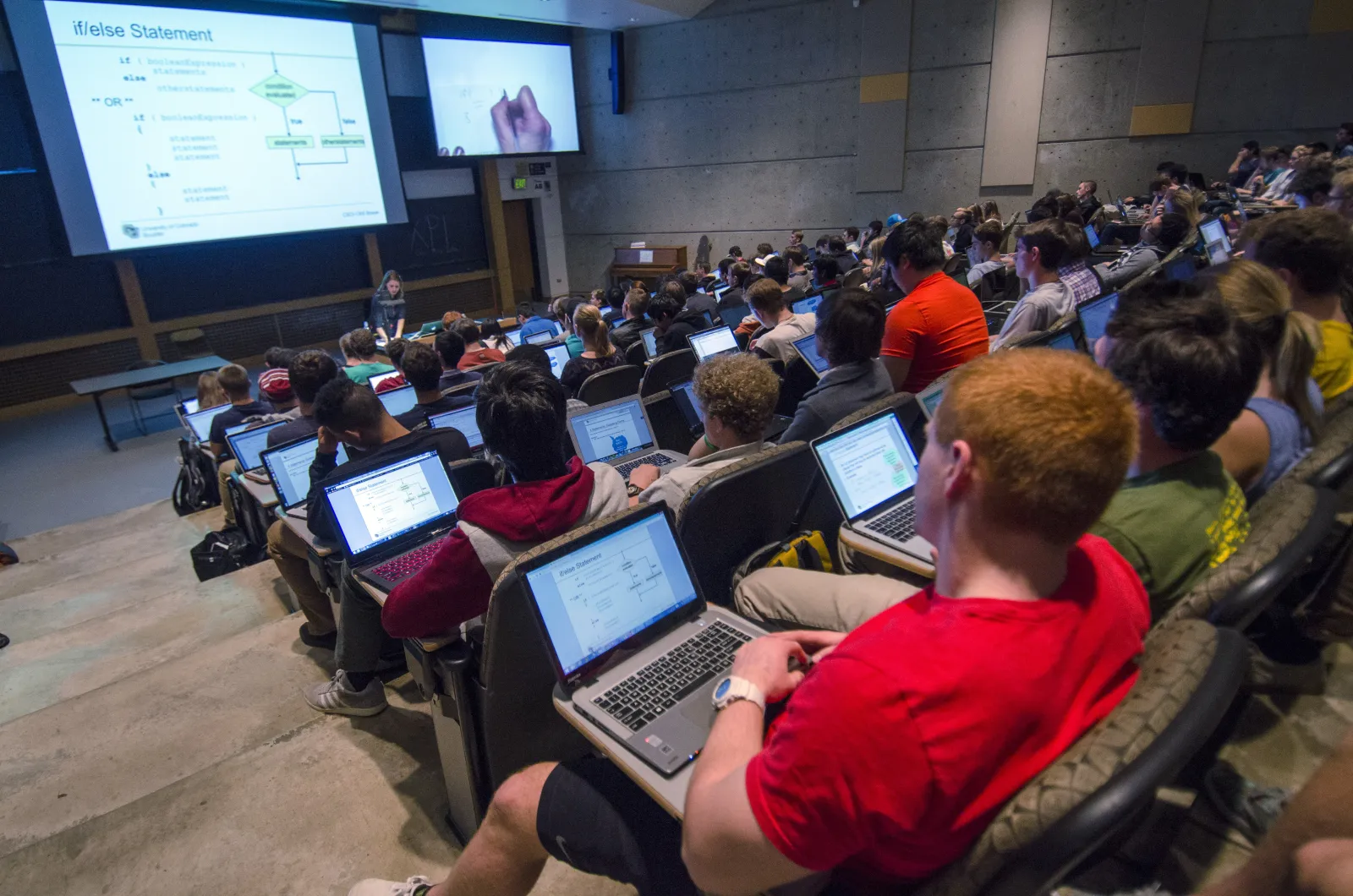
Students in a lecture hall following a class on their laptops.
Photo: cuboulder · CC0

The challenges

What a campus has to solve

  • Course video scattered across tools

    Recordings on personal drives, public video sites and chat threads: nothing is organised by course, and nothing expires when the course ends.

  • Access that follows enrolment

    Students join and leave by term; access has to open on enrolment, close at the end of the access period, and not be shared beyond the student.

  • Data and bandwidth under the institution's control

    Lectures and student data must stay on the institution's own systems, and a campus network should serve its own viewers without going out to the internet.

How Xtream UI Pro helps

How the platform fits

  • A library organised by course

    Each course is a bouquet of recorded lessons (series with seasons and episodes); a programme is a package that grants the bouquets a student needs.

  • Access as a line with a period

    Enrolment creates a line with the course access period as its expiry and a concurrent-session limit; the API or a connector does it from your student system.

  • Runs on campus, even offline

    The management server and a streaming node sit on the campus network; the licence key activates on site and the service keeps running without internet access.

Platform capabilities

What this industry uses

The capabilities below are the ones this deployment relies on. Each is in the product today; nothing here is planned or on request.

  • Video on demand

    Movies, series with seasons and episodes, and radio, organised in categories and bouquets, with TMDB metadata and an ingest job that downloads and encodes your sources.

    Signed, time-limited playback links · per-node VOD cache

  • Live streaming

    Live channels from your own sources, with EPG, catch-up and timeshift where the source allows, delivered as HLS or MPEG-TS to the apps and boxes your viewers use.

    Origin hub with one upstream per channel · RTMP in and out · ffmpeg transcoding

  • Subscriber management

    A line is one viewer's access: package, bouquets, expiry, connection limit and output formats, with activation codes, trials and renewals following the same rules everywhere.

    Xtream Codes API, M3U/XMLTV, MAG and Enigma2 portals, web player

  • Partner management

    Delegated accounts with credits, permissions and their own dashboard, up to five levels deep, for the distributors, operators and resellers you work with.

    Groups and permissions · credit ledger · sub-partners

  • API & integrations

    Create, renew and suspend access from your own systems through the Reseller API, receive signed webhooks, and connect billing or commerce platforms with a ready connector.

    Reseller API with idempotent request ids · Admin API keys · 17 connectors

  • Security & access control

    Two-factor sign-in, sealed secrets at rest, signed playback links bound to the viewer, IP and country rules, connection limits and brute-force protection.

    TOTP · AES-sealed keys · HMAC-signed URLs · GeoIP and ISP rules

In the panel

The pages this deployment lives in

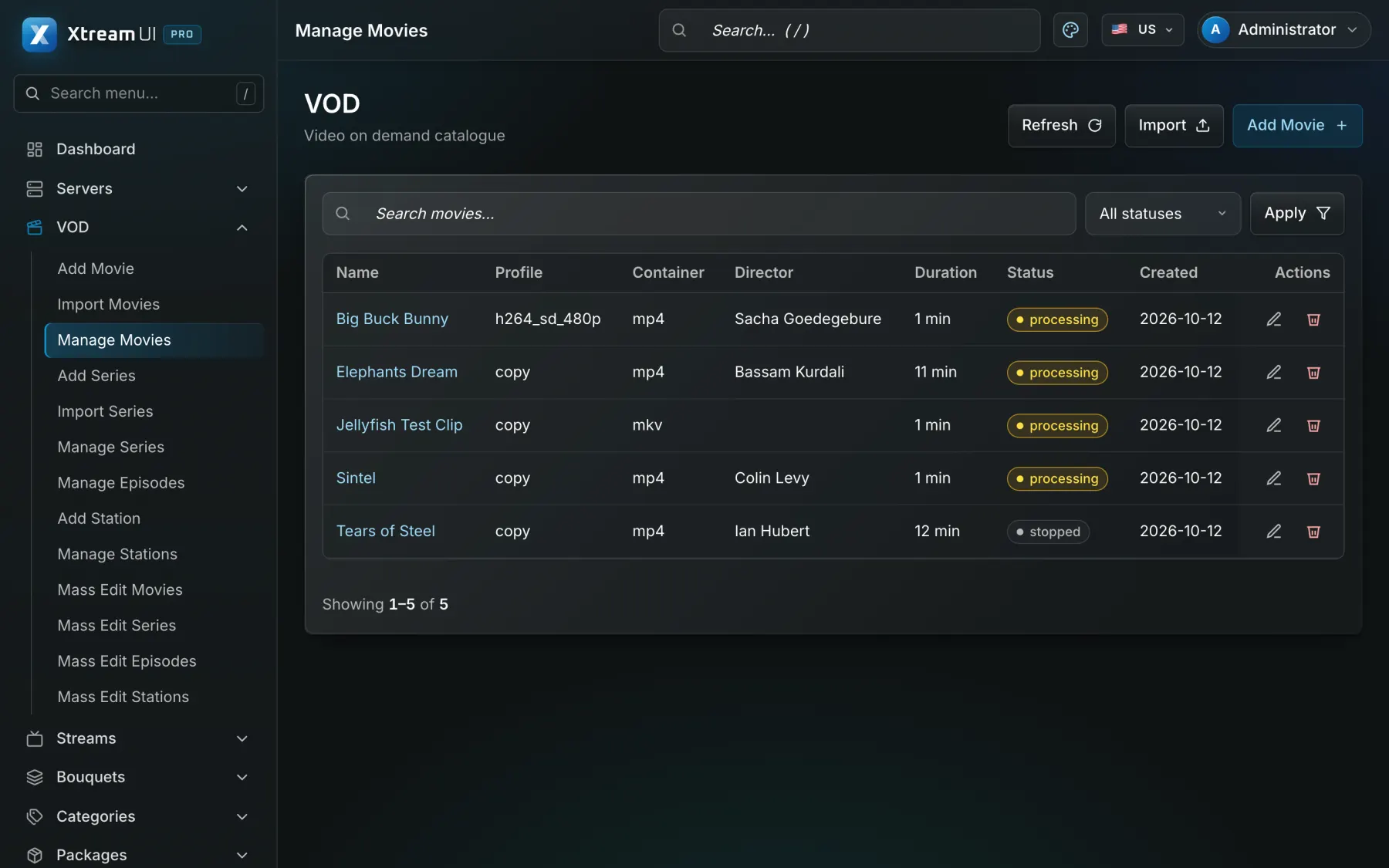
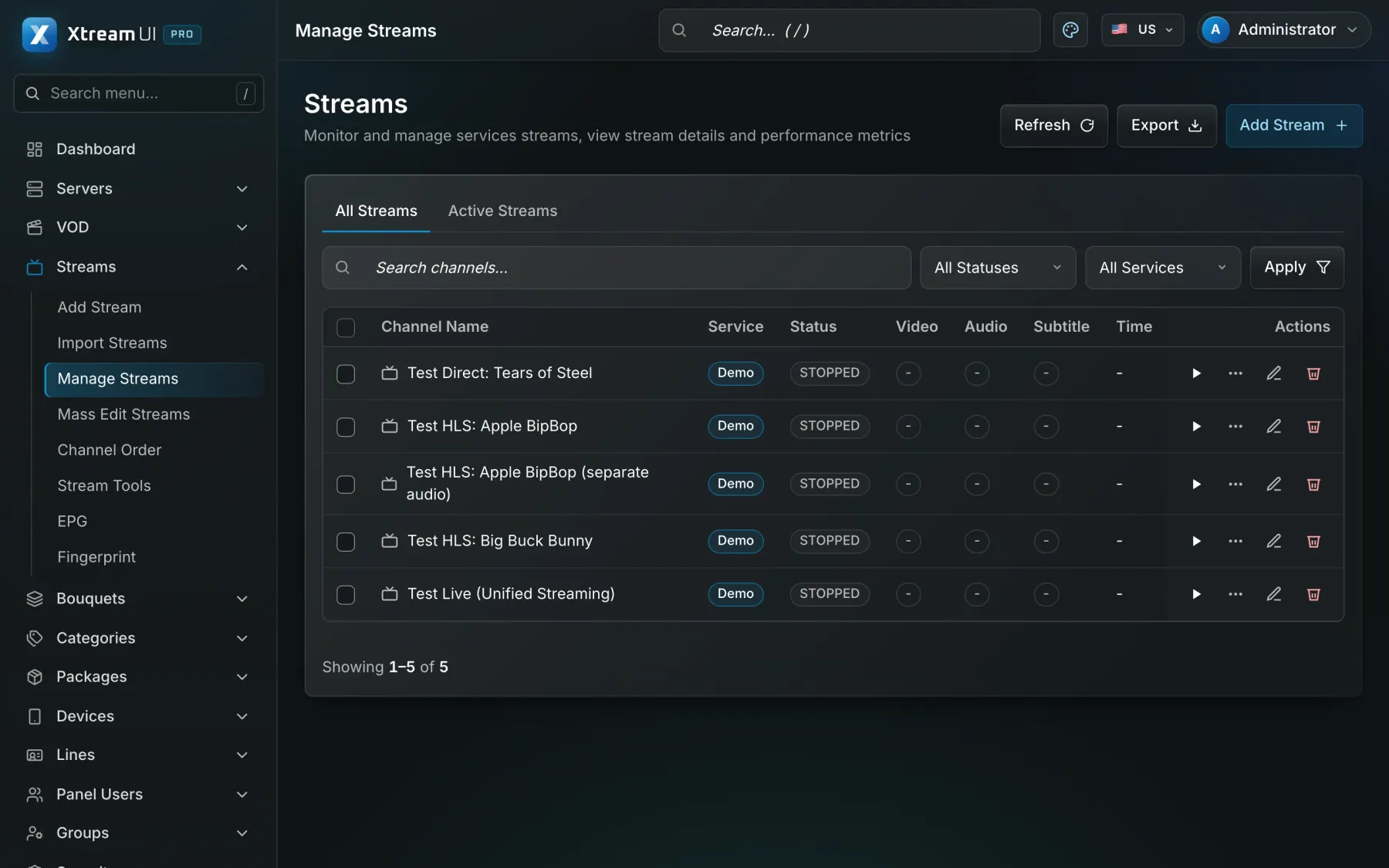
Screenshots of the dashboard of a fresh installation with the sample catalogue. Nothing is mocked up.

The Movies page of the dashboard: the films of the catalogue with their category, year and status.
Video on demand · Signed, time-limited playback links · per-node VOD cache
The Streams page of the dashboard: the live channels with their status, category, source and output formats.
Live streaming · Origin hub with one upstream per channel · RTMP in and out · ffmpeg transcoding

Infrastructure architecture

Example deployment: one campus, two buildings

A management server in the IT room, a streaming node in the second building, lecturers publishing recordings, and students watching on their own devices.

Pick a part of the diagram to see what it does.

In an education deployment the sources are lecture captures and uploaded recordings; the panel holds the course library and the student lines; a node in each building serves its halls; the student information system or LMS talks to the API.

  1. Install the platform

    The Ubuntu installer puts the panel, the API, the worker and the origin on one server of the campus network.

  2. Build the course library

    Upload or ingest the recordings; each course becomes a series, each lesson an episode, each programme a bouquet and a package.

  3. Create student access

    Lines come from the student system through the Reseller API or from activation codes handed out at enrolment, with the term's end as the expiry.

  4. Serve the second building

    Enrol a node over SSH from the panel; viewers of that building are routed to it, and the origin serves everyone else.

Configuration mapping

Your concepts, the platform's objects

The platform has no industry-specific objects: a bouquet, a line, a package or a partner account is used as the concept your industry needs. These are conceptual mappings, not native features of that industry.

Step-by-step setup guide

Prerequisites, deployment on the campus network, course organisation, student access, live classes, LMS integration and troubleshooting, step by step.

Read the setup guide
In your industryOn the platform
Training centre or distribution partnerPartner account (reseller): a delegated dashboard with credits, permissions and its own lines
Course collectionBouquet: a named set of channels, films or series that a package grants
Recorded lessonsVOD catalogue: movies and series with seasons and episodes, categories and metadata
Live classLive channel: a stream with its sources, EPG and output formats
Student accessLine: one access with its package, bouquets, expiry, connection limit and outputs
Course access periodExpiry date of the line, renewed by a package, a credit or the API
Concurrent session limitMax connections of the line: how many devices may watch at once
LMS or commerce integrationReseller API and webhooks: the operations of the panel from your own system

Integration considerations

Student information systems and learning management systems do not plug in natively: they create and renew student lines through the Reseller API (one request id per operation) or through a connector of your commerce platform, and receive webhooks when access is created, expiring or expired. The platform has no built-in single sign-on for students: a student signs in to the player with the line's credentials.

Security considerations

Lines carry a connection limit and may be bound to the viewer's address; playback links are signed and expire. Keep student personal data in your student system and put only what the line needs in the panel. Two-factor sign-in and permission groups protect the staff accounts of the panel.

Content rights and licensing

The institution must hold the rights to the recordings and channels it distributes; the platform supplies none. A free Professional licence key is issued to qualifying educational institutions for internal use (see the programme).

Content Rights & Acceptable Use

Programme

Professional, free for education

Qualifying educational institutions run the Professional plan at no cost: one licence key per institution, valid two years, requested by e-mail from the institution's academic domain.

See the programme

Education · free

Professional

For a growing service with its own resellers.

$0free for education

instead of $49 / month · 2 years per key

Streams
500
Lines
2,000
Server nodes
5
Support
Standard

Help centre

Questions from this industry

The questions operators ask before a deployment. The help centre has the general ones.

Help centre
Can students sign in with their university account?

Not today: the platform has no single sign-on for viewers. Each student gets a line (user name and password, or an activation code); your student system can create and renew those lines through the API.

Does the campus need internet access for viewers to watch?

No. The licence key activates on site and the panel, the origin and the nodes serve the campus network on their own; internet is needed only for sources that come from outside.

Is this a learning management system?

No. It is video infrastructure: it stores, organises and streams the video and controls who may watch. Quizzes, grades and course pages stay in your LMS, which can link to the player or drive access through the API.